
SquashTM 15.0: more control over AI-powered test case generation
The delivery of SquashTM contains the following features:
- Project-level prompt management, with no administrator rights required
- A new statistics space to track the consumption, usage, and cost of generated test cases
- Enriched generation context through the addition of existing test cases, alongside documents and requirements
The full list of new features and bug fixes is available on SquashTM 15.0 release note: SquashTM 15.0.
Project-level prompt management for greater autonomy
Requires SquashTM Ultimate.
With version 15.0, your teams gain autonomy thanks to prompt management at project level.
- Creation of project prompt sets, from a template or by duplication.
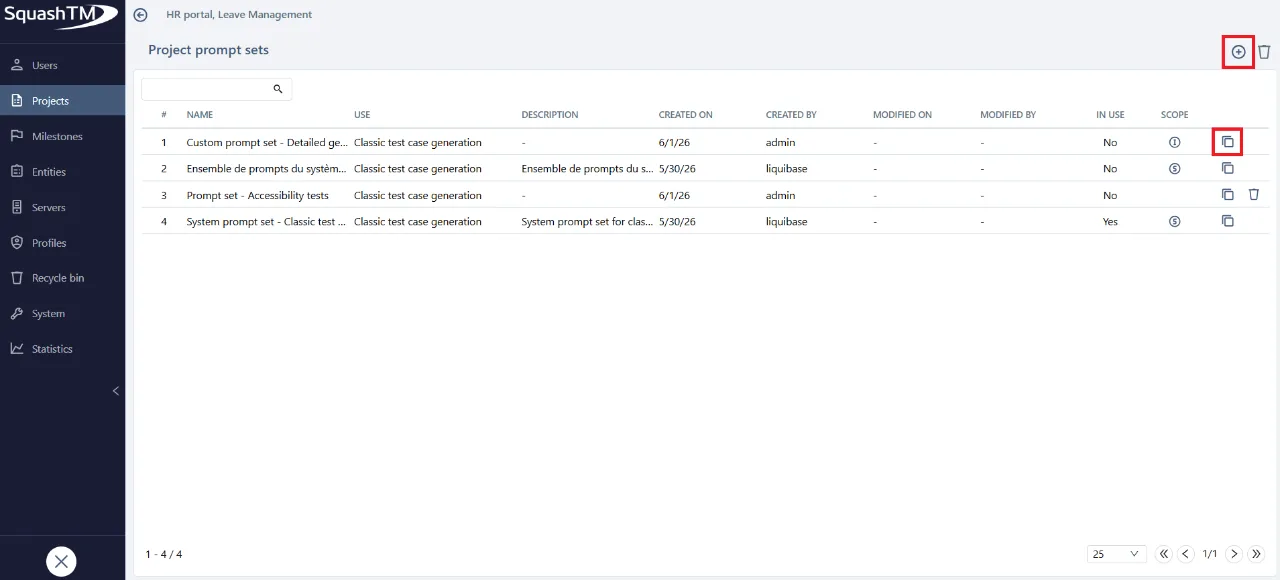
- Direct access from the project configuration.
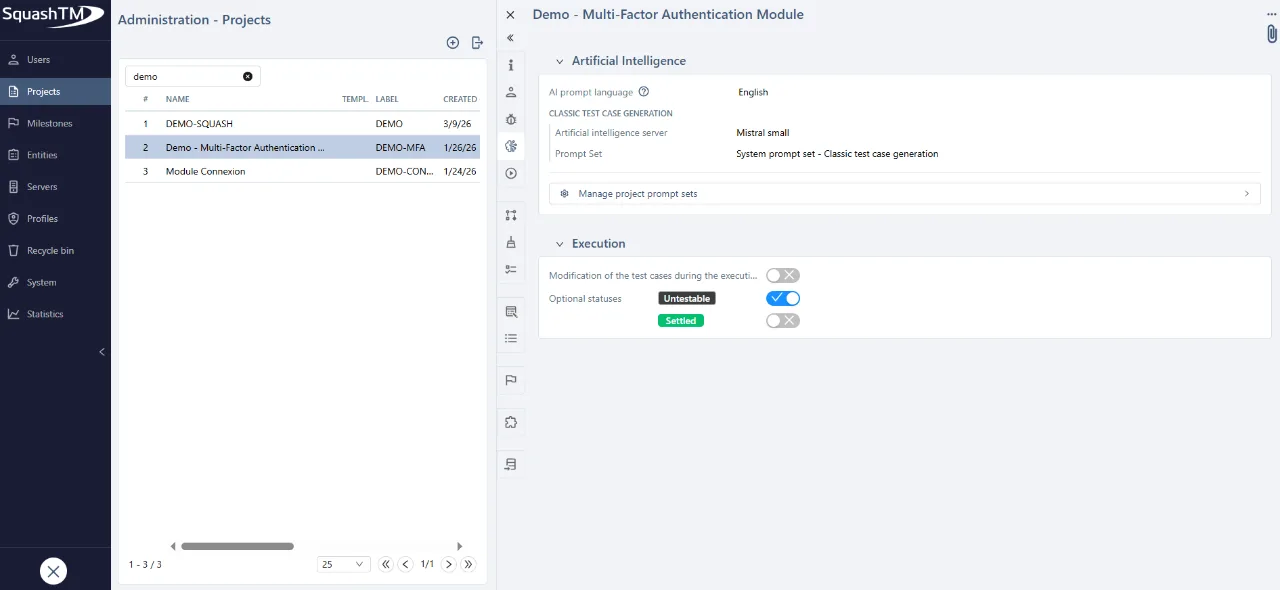
- Multi-selection deletion
- Prompt sets defined at the instance level remain protected: they cannot be modified or deleted from the project view.
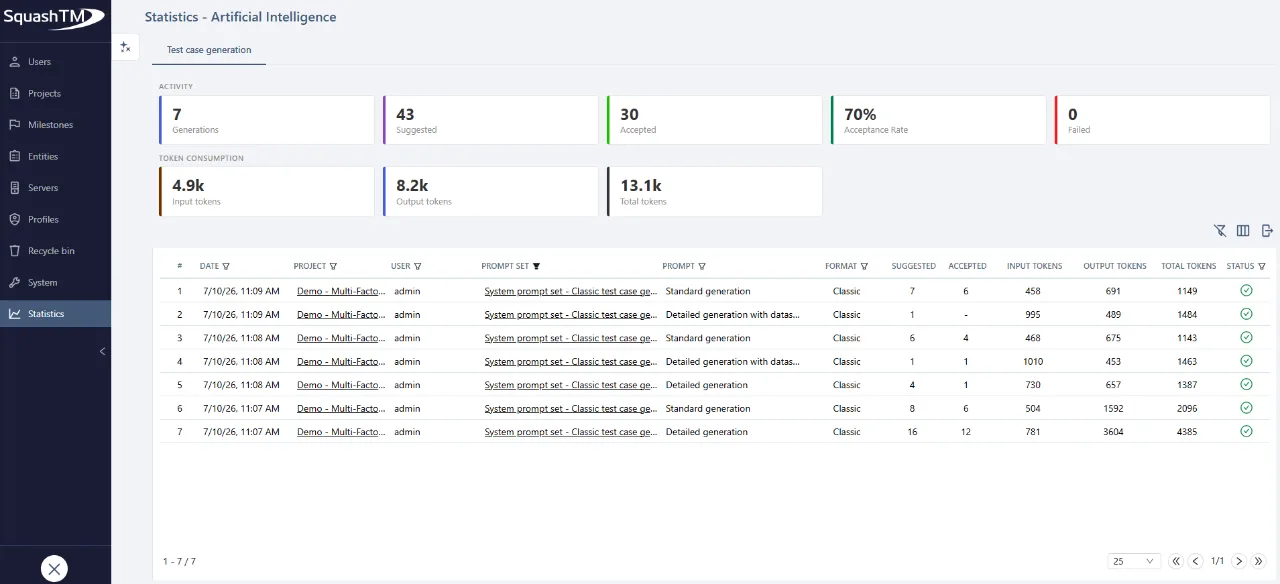
New statistics section to track the adoption, use, and consumption of tokens related to test case generation
Requires SquashTM Ultimate.
With version 15.0, instance administrators have a dedicated dashboard to track the adoption and usage of AI features. They can measure team engagement, analyze the acceptance rate of suggestions, and monitor the consumption of tokens.
This space is accessible from: Administration > Statistics.
- For each generation: the project concerned, the user, the prompt used, the tokens consumed, and the status (success / failure)
- Tracking of what is actually kept, not only what is generated
- Filters and an Excel export to analyze usage by project or by team
Enriching the generation context with existing test cases
Requires SquashTM Ultimate.
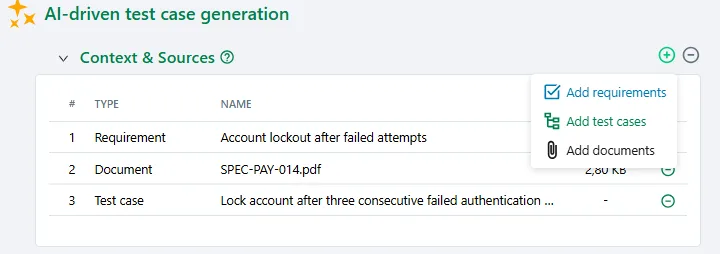
With version 15.0, the Context & Sources panel on the generation screen accepts existing test cases, alongside requirements and documents. The default prompts treat those test cases as authoritative: they tell the AI which business rules, values and thresholds actually apply, without copying them word for word.
- Requirements and test cases are added by drag and drop from a side selector, documents through the file explorer
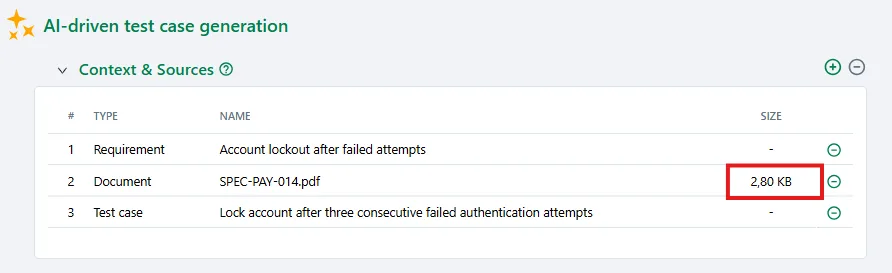
- A Total size indicator shows, in real time, the combined volume of documents and images subject to the limit set by the administrator on the AI server
- Added items serve as context only: generated test cases remain linked to the source requirement alone
- Saved test cases carry the AI-suggested label and stay fully editable
Feature removals
- Tags of custom templates for campaign and iteration reports created before Squash TM 11
Custom templates for campaign and iteration reports, created from a default template before Squash TM 11, contain tags that are no longer supported. These tags have been removed.
- • Jira 9.X support
Jira 9.X support will cease with the end of support for this version by Atlassian.
Deprecated features
The following features are deprecated and will be permanently removed from SquashTM in the versions or on the dates indicated:
-
SquashTM 16.0 (November 2026) Legacy AI servers are replaced by AI servers simpler to configure and more versatile to use. They will be removed.
-
SquashTM 19.0 (August 2027) The support of Squash TF will end on summer 2027.
Basic authentication for REST API will not be supported anymore.
- SquashTM 21.0 (February 2028) Starting with Squash TM 1.19 (released at the end of 2018), passwords are hashed using bcrypt instead of SHA-1, which has been found to be insecure. Users who have not changed their password since this upgrade need to either: change their password or
log into SquashTM 13.0 or later (these versions will automatically overwrite the SHA-1 hash with the bcrypt one when logging in).
Otherwise, they will not be able to log into SquashTM 21.0 or later.
For more information and further deprecations, please visit deprecation details.